OnDemand3D vs Romexis vs CBCTHub: an honest comparison

· Updated
If you work with CBCT scans you probably know OnDemand3D and Romexis. And if you landed here, you are probably also looking at CBCTHub. This comparison does not try to declare a winner in the abstract, it helps you choose based on your case. Each shines at something different.
OnDemand3D: the gold-standard free diagnostic viewer
OnDemand3D (by Cybermed) is probably the most widely used CBCT viewer worldwide. It has a very capable free version for diagnosis (DentalApp) and paid modules for implant planning, orthodontics and surgical guides.
Strengths:
- Real, functional free version, not a demo.
- Complete diagnostic tools (panoramic, MPR, cephalometry).
- Large community and many tutorials.
- Compatible with almost any CBCT machine.
Weaknesses:
- Windows only. If you have a Mac or iPad, it does not run.
- Local install: every workstation needs setup.
- No cloud delivery to patients or referring dentists.
- Advanced features (implants, guides) are paid and expensive.
Romexis: Planmeca's complete ecosystem
Romexis is Planmeca's proprietary software, one of the major CBCT hardware vendors. If you bought a Planmeca machine, Romexis is bundled or an upgrade. If not, you license it separately.
Strengths:
- Direct integration with Planmeca hardware (images flow instantly).
- Complete suite: CBCT, intraoral, panoramic, intraoral scanner, planning.
- Strong 2D and 3D cephalometry.
- Centralized server for multiple stations.
Weaknesses:
- Significant licensing cost, even for small clinics.
- Requires local infrastructure (server or NAS).
- Steep learning curve.
- Limited external delivery (to referrers or patients).
- Limited multi-OS support (best on Windows).
CBCTHub: cloud-first for delivery and branding
CBCTHub does not compete with OnDemand3D or Romexis on advanced diagnosis. It competes on delivery, storage and referrer/patient experience. It is built for imaging centers and clinics that need to dispatch scans without friction.
Strengths:
- 100% cloud: nothing to install.
- Online 3D viewer that runs on browser, iPhone, Android, Mac, PC, iPad.
- Delivery via branded link with your center logo.
- Radiology report with reusable templates and digital signature.
- Unlimited storage per plan, no servers.
- Monthly or annual subscription, no perpetual licenses.
Honest weaknesses:
- Does not replace Romexis if you need direct integration with Planmeca hardware.
- Implant planning tools are basic compared with OnDemand3D's paid suite.
- No specialized 3D cephalometry (pair it with a dedicated tool if needed).
When to choose which
- OnDemand3D: if you work only on Windows and need free or per-seat licensed advanced diagnostics. Ideal for small clinics that do not deliver externally.
- Romexis: if your CBCT scanner is Planmeca and you want everything integrated in one suite (intraoral, pano, CBCT, planning).
- CBCTHub: if your goal is delivering scans to referring dentists and patients with your brand, without fighting installs, CDs or servers. And if you need it to run on any device.
Sensible combinations
Many centers run two in parallel:
- OnDemand3D for internal radiologist diagnosis + CBCTHub for delivery to referrers.
- Romexis for acquisition and internal planning + CBCTHub for external distribution.
They are not mutually exclusive. Each does something well and the combination works.
Wrap up
There is no "best CBCT software". There is the best for your case. If you focus on internal diagnosis: OnDemand3D or Romexis. If you focus on delivering scans to other professionals and patients, consider CBCTHub. To try it, you can create a free account and upload a scan in under 5 minutes.
Try CBCTHub for free
Upload, view, and share DICOM scans in the cloud. Nothing to install.
Create free accountRelated articles

Browser DICOM viewer vs desktop: what works for CBCT in clinic
Open CBCT in the browser or install a desktop viewer? A clinical decision matrix: MPR performance, offline use, Mac/Windows mix, sharing without CDs, and when native software still wins.
How to open a CBCT without installing software: a practical online-viewer guide
You got a CD, ZIP, or link with a CBCT and no manufacturer viewer. How to open the DICOM in the browser, measure in mm, and what to do when it fails.
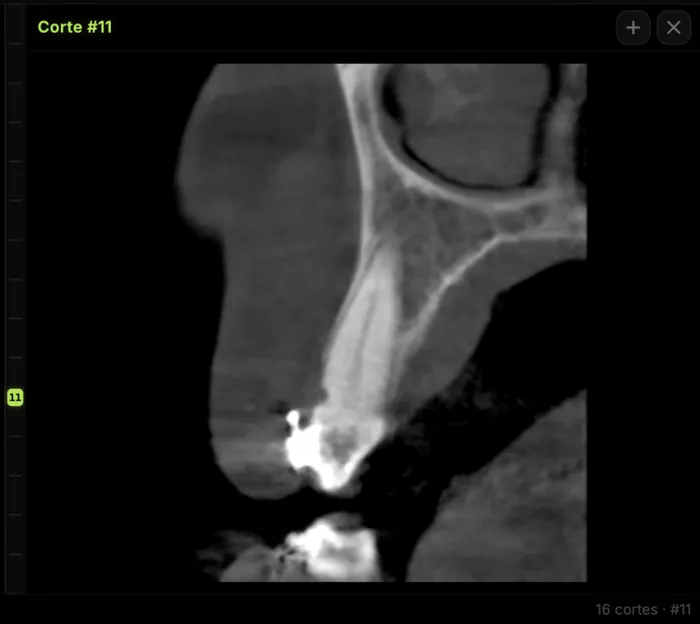
Mandibular canal and inferior alveolar nerve on CBCT: anatomy, variants, and pre-surgical measurement
Locate the mandibular canal and IAN on CBCT: mental loop, bifid/retromolar canal, measurement checklist, and when to escalate from panoramic (ALADA).