For imaging centers
Your CBCT scans.
Your brand.
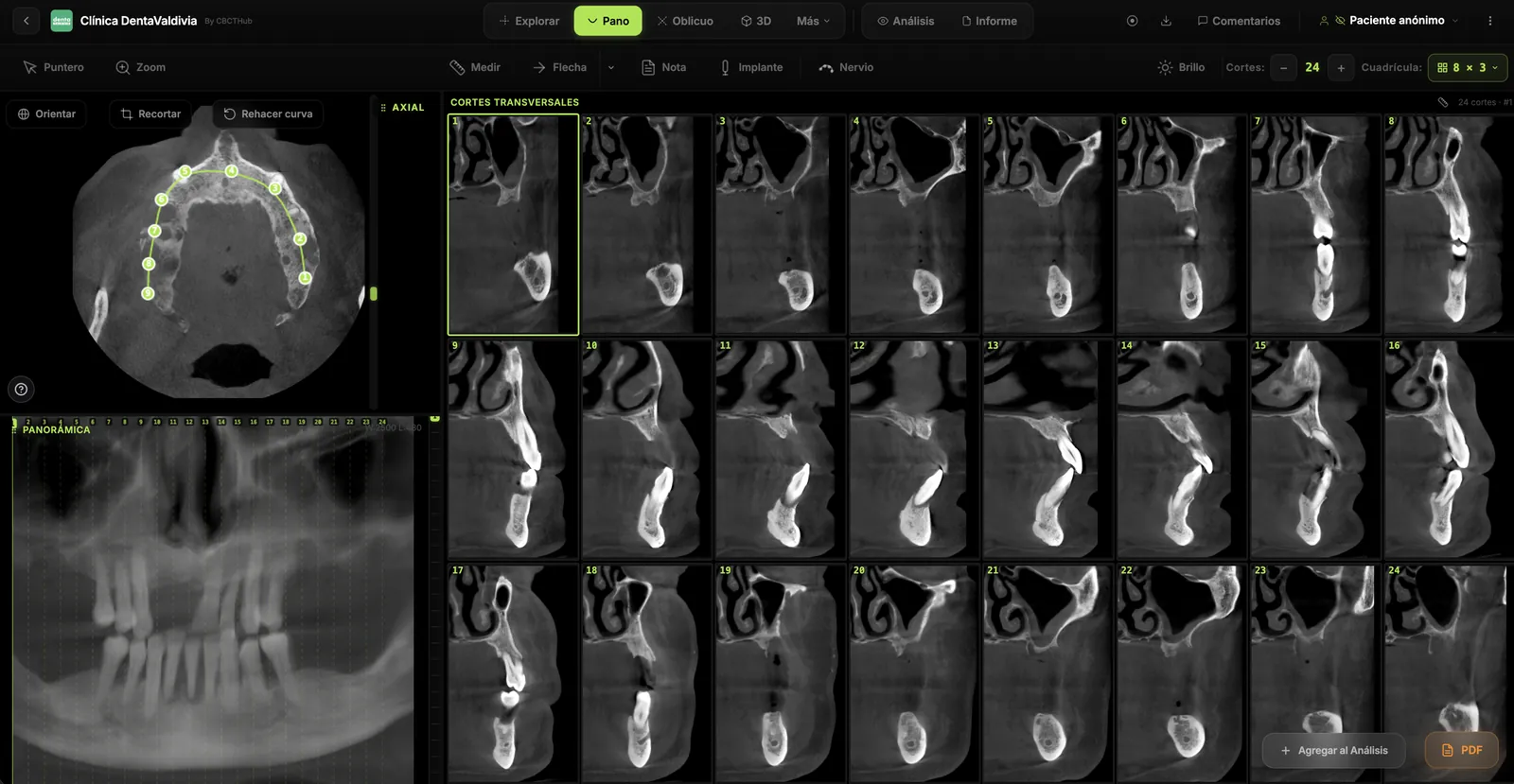
Store, view and report in the browser. Share scans and reports with your brand through a simple link with radiologists, dentists and patients. No downloads or installations.
Sound familiar?
Four sentences heard in every imaging center
We hear them in every demo. None of them is the center's fault: it's the workflow.
“I lost the CD… can you burn it again?”
The ones who don't lose it have no drive. And if they do, they don't know what opens it. Your front desk burns the same scan three times.
“I got a folder with 600 files, what do I open it with?”
WeTransfer or Drive deliver files, not scans. The link expires, the viewer isn't installed, and the scan goes unread.
“That's 500 dollars a year for every viewer seat.”
Licenses per workstation and per scanner brand. The radiologist working from home needs remote desktop to the machine.
“I email screenshots to explain the finding.”
There's no way to point at a slice and have the dentist see the same thing. It ends in screenshots, WhatsApp and phone calls.
CBCTHub solves all four with one thing: a link that opens the scan.
A day at your center
Four moments. From folder to link.
From the moment the patient leaves the cone beam until their dentist is inside the scan.
Upload the scan, manually or automatically
Drag the DICOM folder or ZIP exactly as it comes out of the scanner and the patient data is read for you. Or install CBCTHub Link on the cone beam PC and every new study transfers itself without anyone exporting. Your choice.
Your radiologist reports from anywhere
Editor with inline images, your center's templates, cephalometrics, airway and TMJ. Electronic signature with a verifiable QR and a PDF with your letterhead.
A link that opens the scan
Not a folder. The dentist clicks and is inside, with the report, in their browser. By email in your design, WhatsApp or your public page. It never expires.
You know who viewed it and what they asked
Open log, conversations inside the scan at slice level, and activity for the whole team. No more "did you get the file?".
One viewer, four audiences
The same scan, the view each person needs
Your team uses the full viewer. Everyone else gets exactly what is theirs, always with your brand.
Roles: admin · editor · viewercbcthub.com/e/…cbcthub.com/centro/your-center…/your-center/derivadoresEverything included
What a center needs, with no add-on modules
Ordered the way you work: what comes in, what you report, what you deliver and what you manage.
Intakehow scans arrive
- Manual upload: drag the DICOM folder or ZIPpatient data is read from the DICOM
- Optional automatic upload with CBCTHub LinkDICOM node on the network or watched folder, on the scanner PC
- 2D radiographs and panoramics
- Intraoral scan STL/PLY alongside the CBCT
- Batch upload for historical scans
- Informed consent per scan
Reportwhat your radiologist does
- Editor with inline images
- Center templates, custom title and footer
- Electronic signature with verifiable QRcbcthub.com/v/… validates every PDF
- Cephalometrics, airway, bilateral TMJ
- Compare two scans of the same patient
- From any computer, no remote desktop
Deliveryhow they receive it
- Link with your logo and colors, no expiry
- Customizable delivery emailcolors, text, patient fields
- Send via WhatsApp
- Public center page with PIN
- Portal for each referring clinic
- Download of the original DICOM and the PDF
Managementwhat the center administers
- Team with roles: admin, editor, viewer
- Referrer registry with portal and access
- Activity: who opened, commented or downloaded
- Storage from 1.5 to 4 TB≈ 5,000 to 14,000 scans
- API and webhooksintegrate your scheduling or RIS
- AES-256 encryption and data processing agreement
Case · Cedirama Digital, Mexico
“CBCTHub lets us deliver the viewer and the scan directly through a link, with nothing for our dentists to install and our center's brand on every study.”
 Cedirama DigitalMexico's #1 imaging center since 2005 · cedirama.com ↗
Plans for centers
Choose by the size of your center
All three plans work for an imaging center: the difference is how many people work in the account and how much you store. No installation, no per-seat licenses. Prices in USD; −10% on 6 months, −20% yearly.
Center with one radiologist
Pro
All the essentials, one user
- ✓Manual or automatic upload (CBCTHub Link)
- ✓Logo and brand on link, email and PDF
- ✓QR-signed reports
- ✓Email, WhatsApp, conversations
- ✓Public page with PIN
Center with a team
Max
Several users and portals
- Everything in Pro, plus:
- ✓5 users with roles
- ✓Portal for each referring clinic
- ✓Patient and referrer management
- ✓Dedicated support
Several sites · high volume
Ultra
No limits, with integration
- Everything in Max
- ✓Unlimited users
- ✓API and webhooks
- ✓Dedicated priority support
- ✓Early access to features
No card to start · Cancel anytime · University? Tailored Campus plan
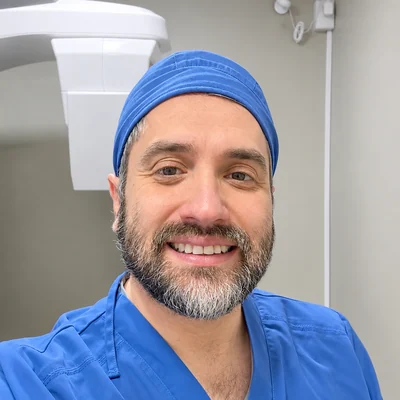
“I read thousands of cone-beam scans a year. CBCTHub is the delivery workflow I wanted for my own center.”
Cristian Rosas Méndez · Oral and Maxillofacial Radiologist · Universidad Austral de Chile · Meet the team →
Before you switch
What centers ask us
Does it work with my scanner? We have a Planmeca and a Vatech.+
Yes. CBCTHub reads standard DICOM from any brand. You can upload the folder or ZIP by hand, or connect CBCTHub Link as a DICOM node on the network or by watching the folder where the scanner stores studies. A center with two brands uses one Link per PC.
Do my dentists need to create an account?+
No. They receive a link and open it in the browser. If you want, you can also give each clinic a user inside your center so they see everything you've sent them in their own portal.
Can my radiologists report from home?+
Yes. With a team user they sign in from any computer, report with the center's templates and sign electronically. No remote desktop to the workstation.
Where does the data live and who can see it?+
Files are stored encrypted (AES-256) and the volume is reconstructed in the browser of whoever opens it. Every access is logged. We sign a data processing agreement if your center requires it.
What about the scans we already sent via WeTransfer?+
Upload them whenever you like, in batch (folder or ZIP) or with Link pointing at the scanner's historical folder. From then on each dentist has their history in one place instead of expired links.
Can we integrate it with our scheduling system?+
Yes, on Ultra: REST API and webhooks to create scans, fetch links and receive events (scan uploaded, report signed, scan viewed).
Start today
Deliver your next scan by link, under your brand
Create your center's account, upload a scan and send it. Ten minutes, no card.