Free with 2 GB, no card
Upload the CBCT once and deliver it with a link.
CBCTHub Cloud stores the center’s scans, opens them in the browser with nothing to install and delivers them to the patient or the referring dentist with a link and a PIN. The report carries your logo.
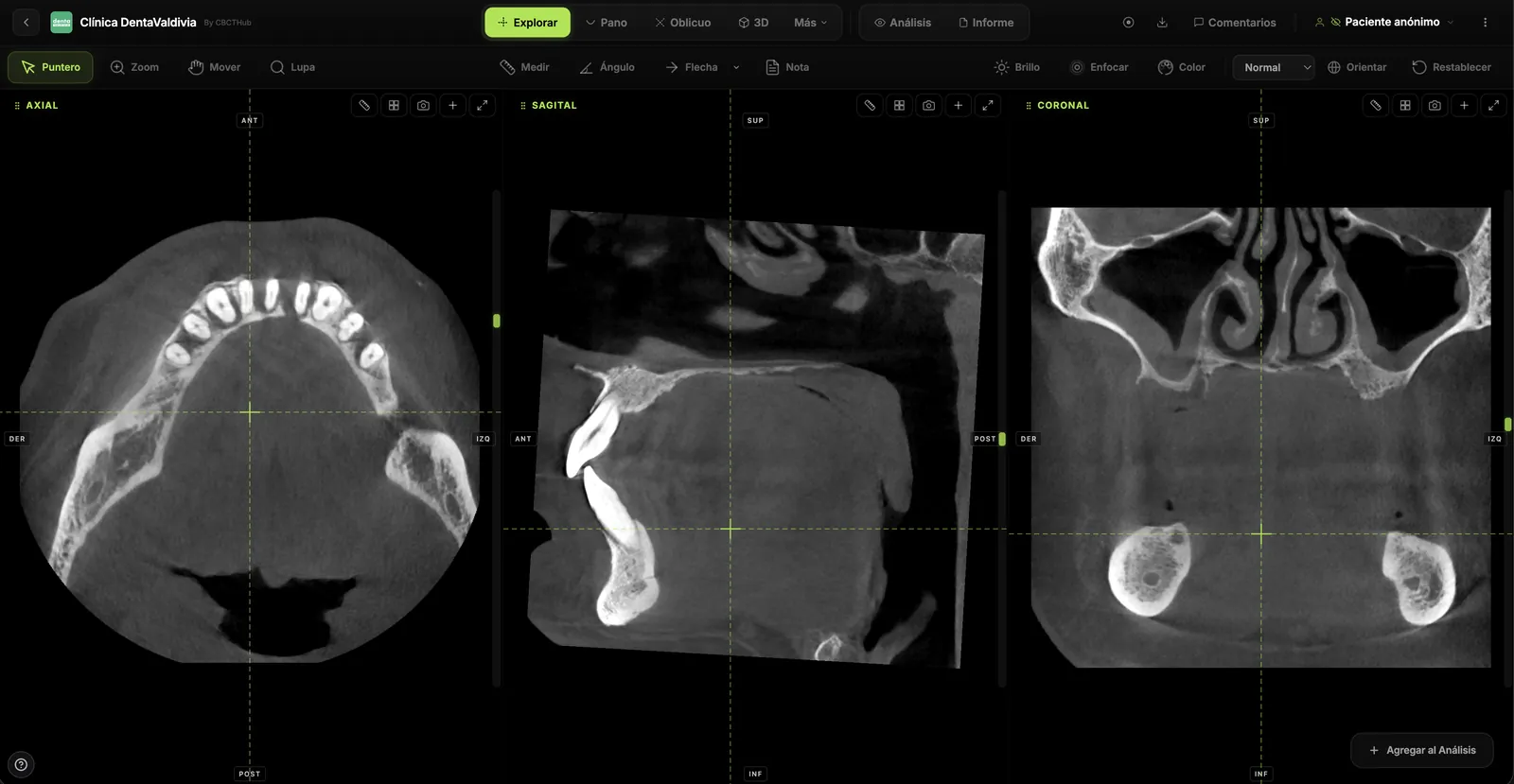
FIG 0.1
Opens in the browser
Whoever gets the link sees the scan in Chrome, Safari or Edge, on a computer or a phone, without installing the scanner’s viewer.
FIG 0.2
Arrives straight from the scanner
CBCTHub Link watches the scanner’s folder or receives the DICOM send and uploads each study when acquisition ends.
FIG 0.3
With your brand
From the Pro plan, your logo and center name appear on the report, the plates and the link the patient receives.
1.0Upload
Scans come in the way the center already works
Drag the folder or ZIP into the browser, let CBCTHub Link upload it from the scanner PC, or send it from your own system through the API. Patient data is read from the DICOM.
- Folder or ZIP
- CBCTHub Link
- DICOM server
- REST API
- Radiographs and STL
2.0Deliver
A link with a PIN replaces the CD
Every scan has a link you send by WhatsApp or email. The patient opens it with a PIN, sees the report and downloads the original package with the DICOMDIR. You can set an expiry date or turn it off whenever you want.
- Access PIN
- Expiry
- Original download
- Patient folder
Scan link
PIN
4821
Expires
in 30 days
The patient opens it in the browser, without creating an account.
3.0Referrers
Every referring dentist gets a portal
Referrers sign in to your center’s page with their email and password and see every scan you sent them. You can invite them with a link and approve each request.
- Portal with your logo
- Invite link
- Comments on the scan
- Live sessions
Demo Imaging Center
Referrer portal
4.0Phone
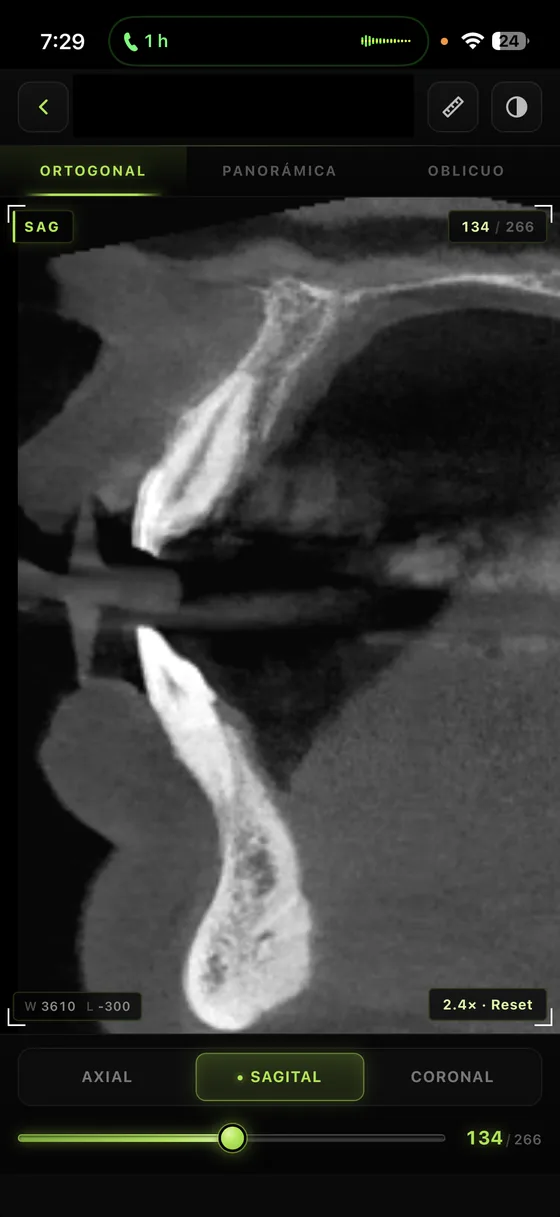
Scans can be reviewed on a phone too
The iOS and Android app opens the same scans with axial, sagittal and coronal slices, panoramic and oblique, so you can review a case away from the clinic.
- iOS
- Android
- Orthogonal, panoramic and oblique
5.0Team and AI
For centers with several radiologists
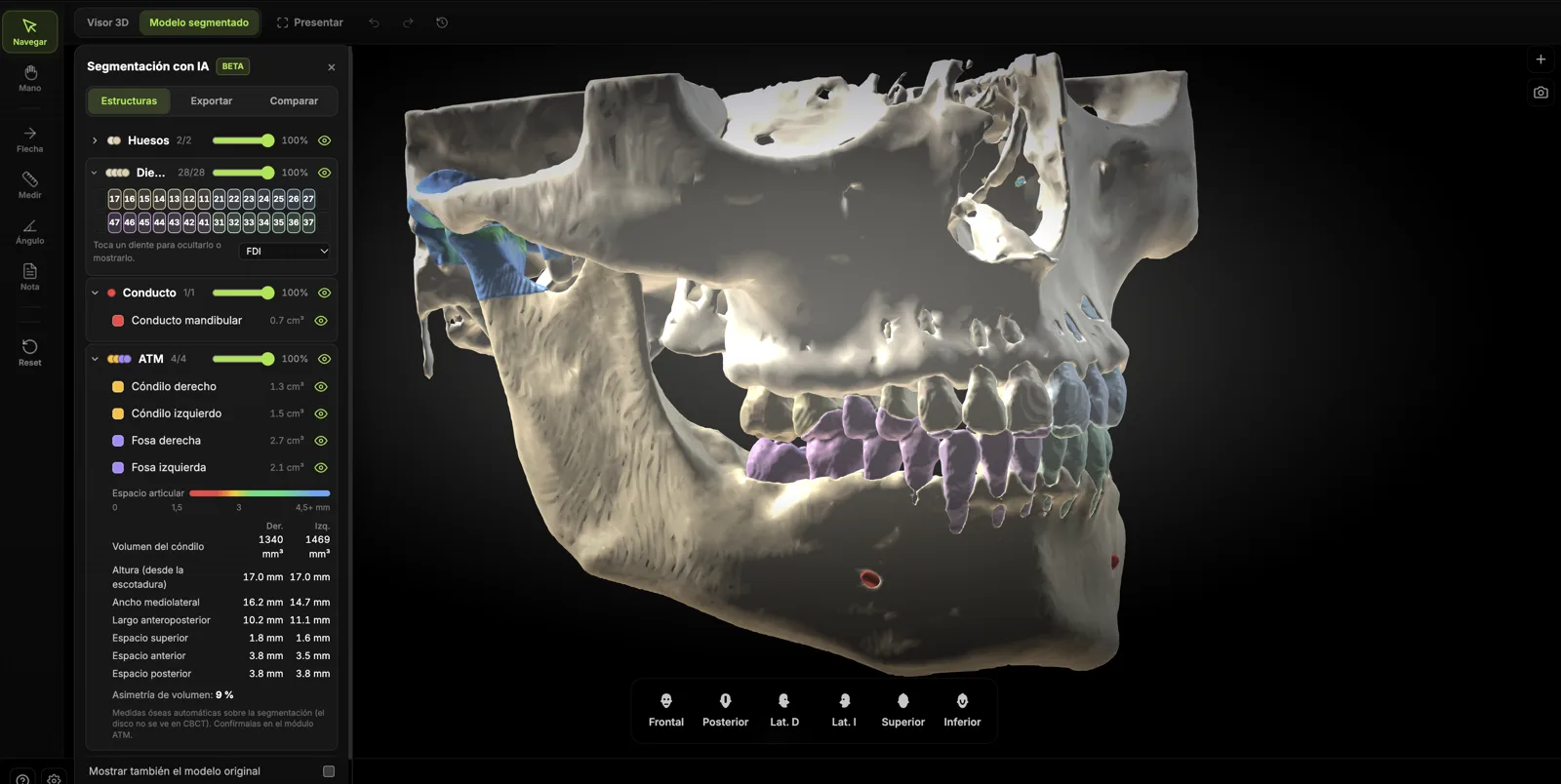
On the Max and Ultra plans several people work on the same scans, and AI segmentation separates bones, teeth, nerve, sinuses, airway and TMJ in about 2 minutes.
- Team members
- AI segmentation
- Voice dictation
- Report templates
Start free and pay when you need to
The Free plan has every viewer tool and 2 GB, about 6 CBCTs. Paid plans add storage, your brand and teamwork.
Compare plansWould you rather keep scans on your computer?
CBCTHub Viewer is the same viewer installed on Mac or Windows, for a one-time US$99.99.
About the ViewerUpload your first CBCT.
The free account needs no card. You get 2 GB to try it with real scans.