View, report and deliver CBCT scans under your brand
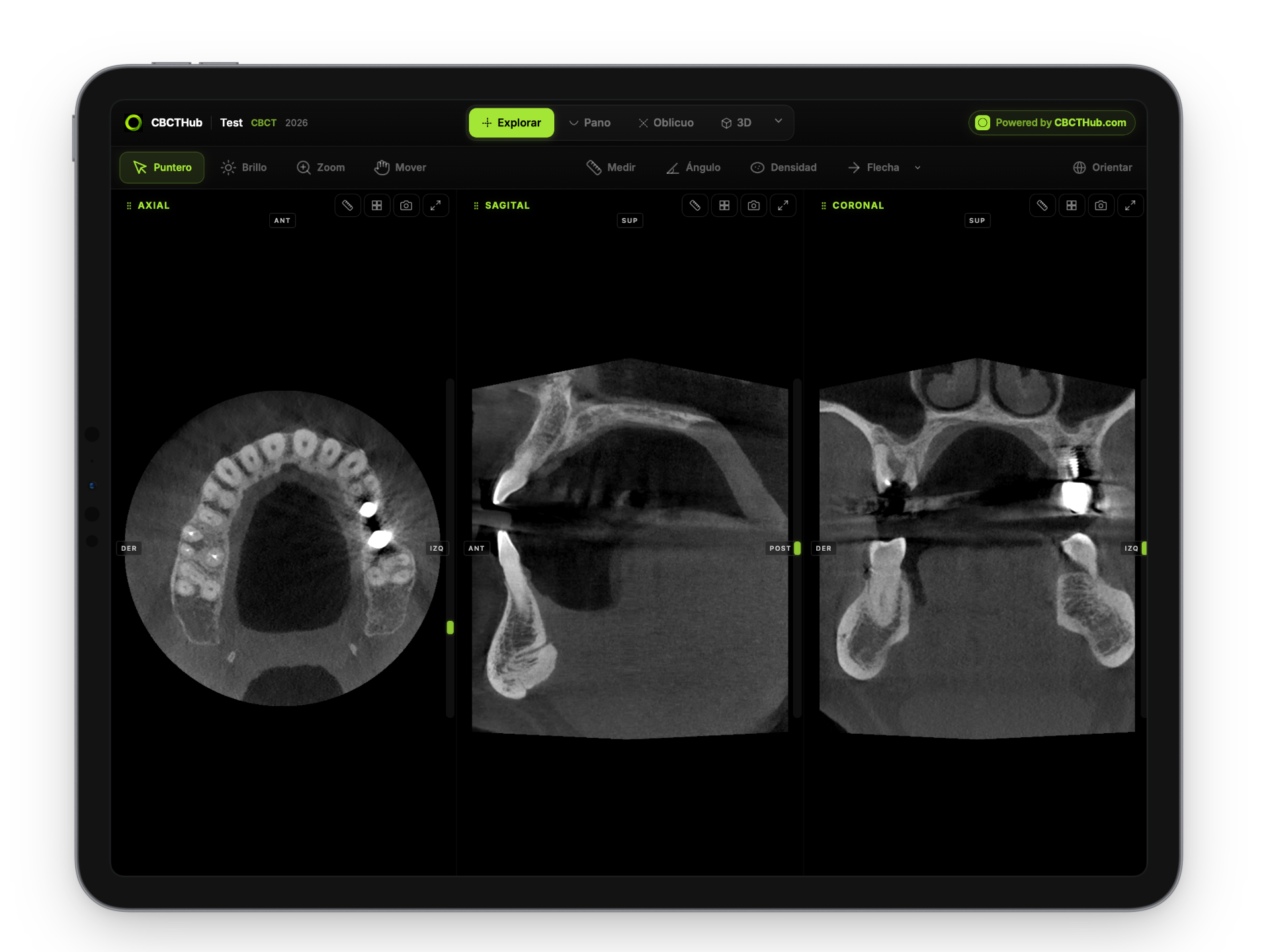
CBCTHub is an online dental DICOM viewer: open the scan in the browser, measure, report and share it as a link. Nobody installs anything.
Works with any scannerFree plan, no credit card
- +2500
- active users
- +65
- imaging centers
- 10
- compatible brands
dentists, radiologists and specialists
around the world
and anything else that exports standard DICOM
Also available on
Works with any scanner, not just one brand
Your center receives patients with scanners from different brands. CBCTHub reads DICOM from all of them: Carestream, Planmeca, Vatech, Sirona, Morita, NewTom and more.
CBCTHub lets us deliver the viewer and the scan through a single link — no installs for our referring dentists, and every study still carries our clinic's brand.

Cedirama Digital
Mexico's #1 dental imaging center since 2005.
For dentists, radiologists and imaging centers
Dentist
You get scans from different imaging centers and want to open them on your computer to measure and plan an implant or a root canal.
Radiologist
You report scans for one or several centers and need to do it from any computer, with each center’s logo on the report.
Imaging center
You take the scans and deliver them to the dentists who refer patients to you. Each one gets a link and a portal with everything you sent.
Everything you expect from a workstation, in the browser
The same tools you already use, with nothing to install and from any computer.

Panoramic curve
Trace the arch, get a panoramic in real time. Adjust thickness from 1 to 40 mm and regenerate on the fly.

Cross-sections
Perpendicular slices along the panoramic curve, generated automatically. Bone width and nerve proximity at a glance.

Oblique slices
Slices at any angle with free rotation on three axes. For root canals and fractures.

Measurements
Distances with voxel-level millimetric precision. For implants and lesion assessment.
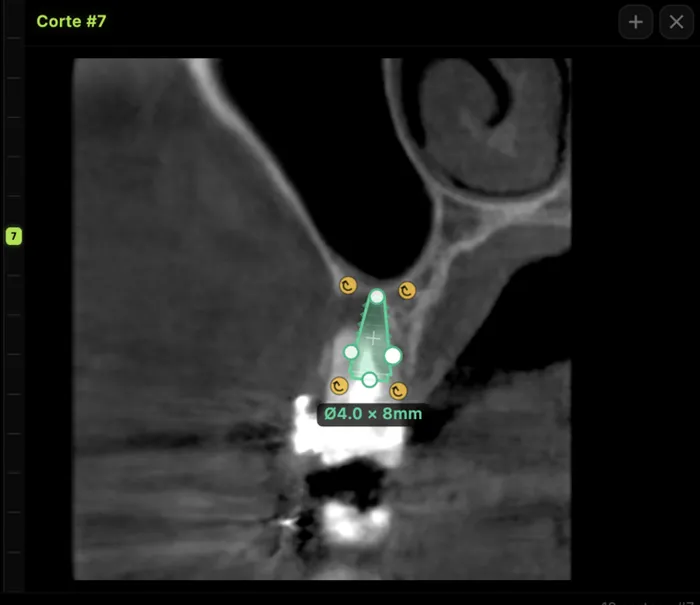
Implant planning
Bone availability, distance to the nerve and bucco-lingual width to plan the ideal implant position.
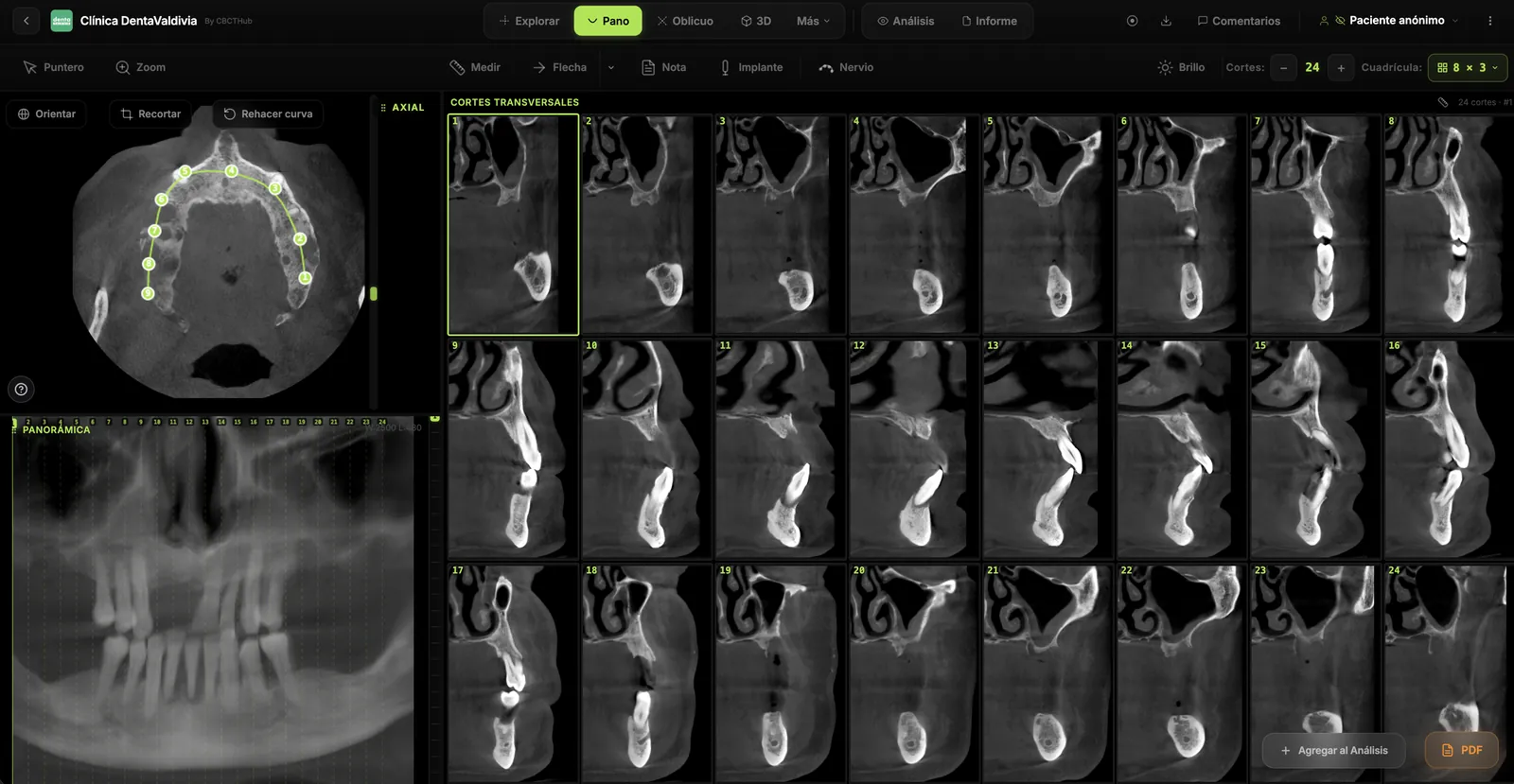
Inferior alveolar nerve tracing
Mark the mandibular canal and see it on every cross-section and on the panoramic view.

3D reconstruction
Volumetric render of the CBCT with free rotation and volume cropping.
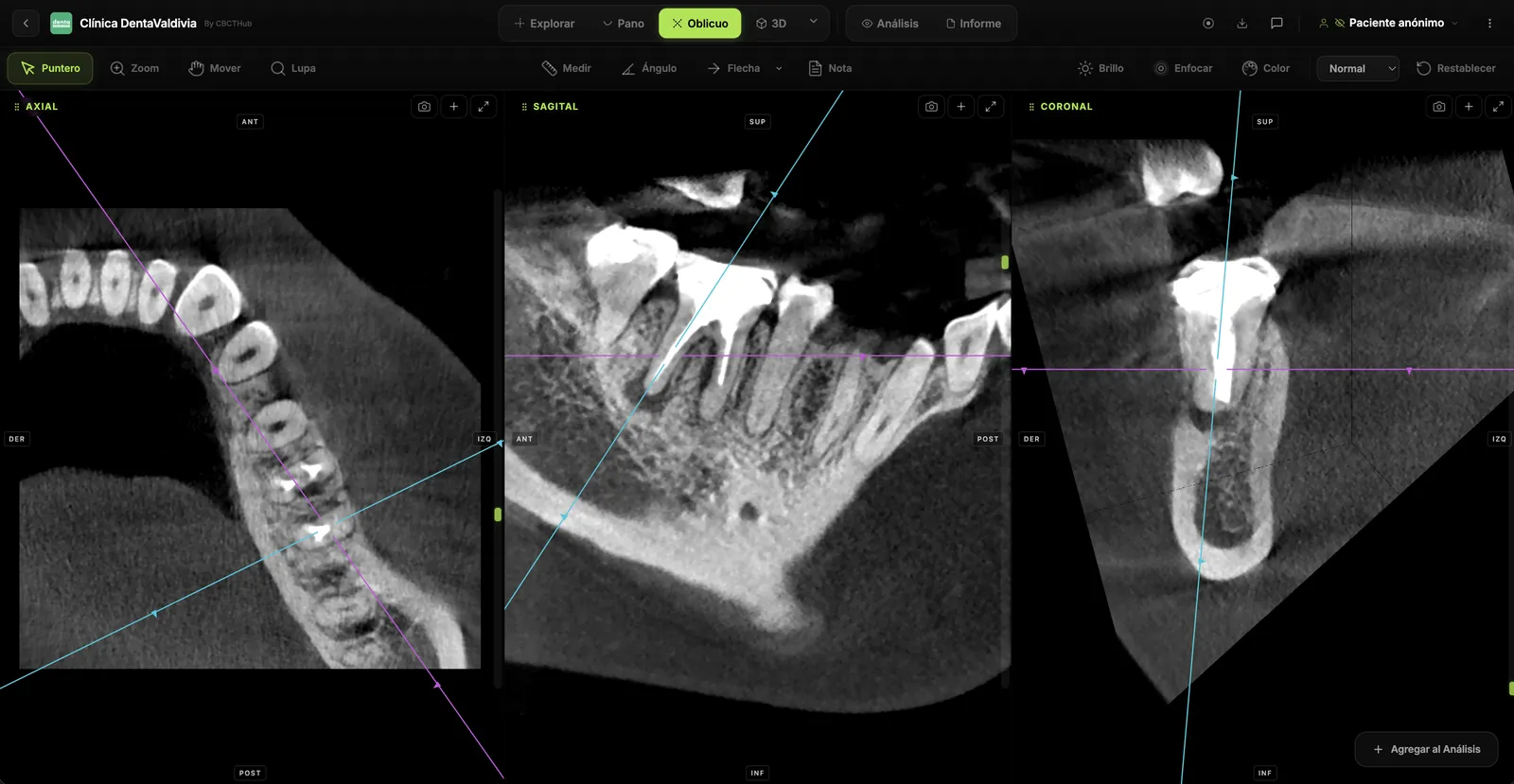
Angles, arrows and notes
Measure angles, point out findings with arrows and leave slice-level notes that travel with the scan.
How it works
Upload, view, share.
Three steps, no software.
From CD to link in under two minutes. The recipient just clicks.
- 01
Upload your scan
Drag the DICOM folder or ZIP exactly as it comes out of the scanner. Full-arch, maxilla, mandible or TMJ CBCT.
any brand · nothing to convert
- 02
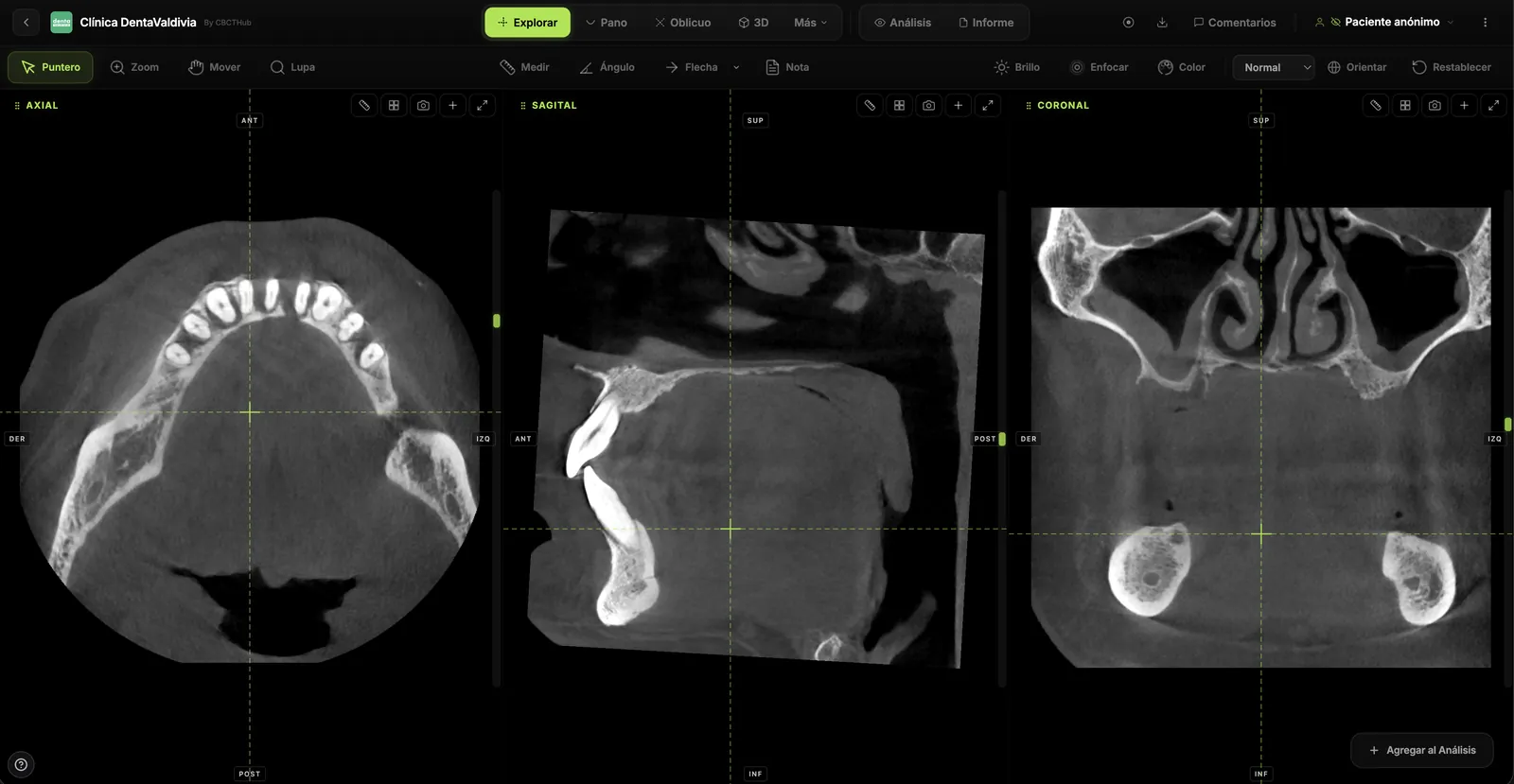
View it instantly
MPR slices, panoramic, oblique and 3D in the browser, with the same tools as a workstation.
reconstruction on your computer · nothing to install
- 03
Share with a link
A branded link via WhatsApp, email or the patient record. The recipient opens it with no account and no install.
with pdf report · with your logo
- Nobody installs anything
- No login for the recipient
- Files encrypted with AES-256
Use cases
Every specialty, one viewer
From implant planning to fracture workup — one tool handles it all.
Implantology
Available bone, distance to the alveolar nerve and implant position.
Cross-sectionsNerveImplantOrthodontics
Root relationships, airway and facial symmetry.
MPRPanoramic3DEndodontics
Extra canals, root fractures and periapical lesions.
Oblique sliceZoomMeasureOral & maxillofacial surgery
Fractures, bone pathology and impacted third molars.
MPR3DAngleGuide coming soonTMJ disorders
Both condyles side by side, perpendicular to the condylar axis.
TMJ moduleCompareMeasureGuide coming soon
Each case opens a guide with screenshots, protocol and what to look for in the scan.
Collaboration
Comment, present and report on the same scan.
Comments stay anchored to the slice, the live presentation syncs what you see and the report is built from the same findings. All on one scan, in your colleague's browser.
Second opinions, teaching and case discussion, on the images. See collaboration →
Periapical lesion 36 · 8 mm
Mesial canal resorption
Left maxillary sinus thickening
Comparison
CBCTHub compared with desktop software
Romexis, Invivo, OnDemand3D, DEXIS and the other desktop viewers do their job well, but they install, they license per workstation, and they do not travel as a link. Here is the difference, point by point.
Setup
Download, install, configure
Open a browser tab
Cost
$500+/year per license
Free plan included
Sharing
Burn a CD or email a ZIP
Send a secure link
Access
One workstation only
Any device, anywhere
Updates
Manual patches that break things
Always current, automatically
Privacy
Depends on the vendor
Reconstruction in your browser · files encrypted with AES-256
Collaboration
Screenshots over email
Comments pinned to the exact slice
Presentations
Zoom screen-share
Built-in live streaming, synced in real time
A plan for every way of working
Start free. Pay only when you deliver scans under your brand.
CBCTHub Cloud
online: upload, share and deliver examsDentist
Free
Try the viewer
forever
Start free- Full CBCT viewer: MPR, panoramic, 3D, nerve and implants
- Share by link, email and WhatsApp
- Reports with e-signature and image sheets
- Access for referrers and patients with a PIN
- 10 radiographs
- 3 3D models (STL/PLY)
- AI segmentation: 2 to try
Radiologist · practice· most popular
Pro
Your logo, unlimited links
- Everything in Free, plus:
- Your logo and brand on every scan
- Unlimited radiographs and clinical photos
- Cephalometrics
- Voice dictation for reports
- CBCTHub Viewer for Mac and Windows
- Unlimited 3D models
- Priority support
- AI segmentation: 10 a month
Imaging center
Max
Your team and AI
- Everything in Pro, plus:
- 5 users with roles (radiologist, front desk)
- AI segmentation: 100 per month
- Dedicated support
High volume
Ultra
Several sites, no limits
- Everything in Max, plus:
- Unlimited users
- AI segmentation: 300 per month
- Dedicated priority support
- No card to start
- Cancel anytime
- Prices in USD
- Universities: tailored Campus plan
CBCTHub Viewer
on your computer, one-time paymentThe same viewer, installed on your Mac or Windows PC. Open the exam folder or a ZIP and work without uploading anything.
- Every viewer tool: nerve, implants, panoramic, 3D, TMJ
- Reports and plates without watermark
- Voice dictation: 60 minutes a month
- Your exams are never uploaded
- Lifetime updates
Pro, Max and Ultra plans already include the Viewer. If you start with the Viewer, you can move to Cloud when you need to share exams.
FAQ
Questions? Answered.
Everything you need to know before you start.
What is CBCTHub?+
A dental DICOM viewer that runs inside the browser. Dentists, oral radiologists, implantologists, orthodontists and maxillofacial surgeons open their CBCT scans with nothing to install: the image is reconstructed on your own machine using WebAssembly, and the scan stays encrypted in storage so you can pick it up again from any computer.
What can I do with a scan in CBCTHub?+
Read the MPR slices (axial, sagittal, coronal), build the panoramic over a curve you draw yourself, swing oblique slices to any angle, and measure in millimetres. From there you can plan implants, attach a PDF report and hand the whole thing over as a link.
I only receive scans from my imaging center. What do I need?+
The viewer. When your center sends you a scan through CBCTHub, you open it in the browser with nothing to install and no account. And if you receive scans as a DICOM folder or ZIP, the free CBCTHub local viewer opens them: drag the DICOM folder in and you get slices, panoramic, 3D and measurements on your own computer.
Where are my DICOM files processed?+
On your machine, in your browser — pixels are reconstructed on your device, not on our infrastructure. Files are stored encrypted with AES-256 at rest and travel over TLS 1.2+, with access control and audit logging.
What file formats can I upload?+
Standard DICOM files (.dcm, .dicom, .ima) and compressed archives (ZIP, RAR, 7z, TAR.GZ) that contain them. Works with every major CBCT brand out of the box.
Can I share a study with a patient?+
Every study gets a unique, secure link. Send it over email or WhatsApp — the recipient opens the full scan in their browser. No account, no download.
Does it work on phones and tablets?+
The full viewer is built for desktop and laptop screens, where you have room for every tool. Shared study pages are fully responsive and work on any device.
Can I attach a PDF report?+
Yes. Drop a PDF onto any study. When you share the link, the recipient sees the report right next to the scan.
What happens when I outgrow the free plan?+
Upgrade to Pro or Max for unlimited studies. No annual contracts — cancel anytime.
Which scanners are compatible?+
Anything that exports standard DICOM: Carestream, Planmeca, Vatech, Sirona, Morita, NewTom, and many others.
Do I need a fast connection?+
Only for the initial upload. Once the study is loaded, the viewer runs entirely offline in your browser.
How do comments on slices work?+
Pin a comment to any slice in any view — MPR, oblique, or panoramic — and it generates a deep link that opens right to the finding. Think Google Docs comments, but for CBCT scans.
What's live presentation mode?+
Walk through a scan in real time with someone else watching. They see everything you see — same slice, same cursor, same annotations, same window/level — all synced instantly. No Zoom screen-share required.
Does it replace Romexis, Invivo or CS 3D Imaging?+
For viewing, measuring and sharing, yes — CBCTHub reads the standard DICOM those machines export, so there is no separate desktop program per brand. What changes is that it opens on any device with a browser, whoever receives the link never has to sign up, and there is a free plan to try it on a case of your own.
CBCT, explained
What is a dental CBCT — and why open it in the browser?
Cone-beam computed tomography (CBCT) is a 3D imaging technique that captures a dental or maxillofacial volume in a single rotation, producing a stack of DICOM files with sub-millimeter voxel resolution. It's the standard of care for implant planning, impacted canines, endodontic diagnosis, airway assessment, and oral surgery workups.
Traditional CBCT viewers are installed on a single workstation in the imaging center. The scan gets burned to a CD or DVD and carried to the referring dentist — who then needs to install the manufacturer's viewer on a specific PC to read it. Months of CDs pile up. Files get lost. Patients wait days to see their own scan.
CBCTHub is a browser-based DICOM viewer built specifically for dental CBCT. It runs on Chrome, Safari, Firefox, and Edge — on any desktop, laptop, or tablet. All image processing happens locally through WebAssembly, so reconstruction runs on your machine rather than on our infrastructure. You get MPR planes, panoramic reconstruction, oblique slices, sub-millimeter measurements, implant simulation, and slice-level comments — the same tools you'd expect from a $10k workstation, without the workstation.
Sharing is a link. You paste it in WhatsApp, email, or an EHR note. The recipient opens it in their browser — no install, no login, no app store. If you run an imaging center, that link replaces the CD. If you're a referring dentist, that link replaces the physical handoff. If you're a radiologist reading remotely, that link replaces RDP into a specific workstation.
Led by
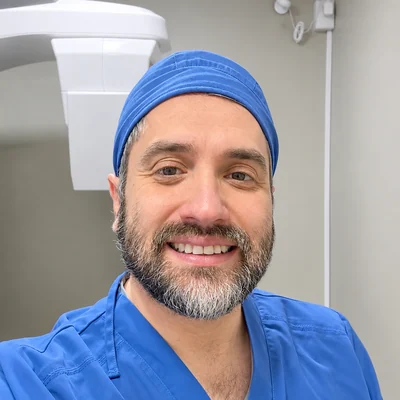
Cristian Rosas Méndez
Oral and Maxillofacial Radiologist
I read thousands of cone-beam scans a year. CBCTHub is the viewer I wanted to use.
Meet the teamReady to try CBCTHub CBCTHub?
More than 2,500 dental professionals already read and share CBCT scans with CBCTHub. See why.
No credit card. No setup. Just open and go.